
Managing your money doesn’t have to feel like solving a complicated math problem. With the best finance apps review, you’ll see how the right tools can simplify budgeting, saving, investing—and even make it a little enjoyable.
Let’s walk through some of the top finance apps together, like we’re just chatting over coffee ☕
Why You Should Care About Finance Apps
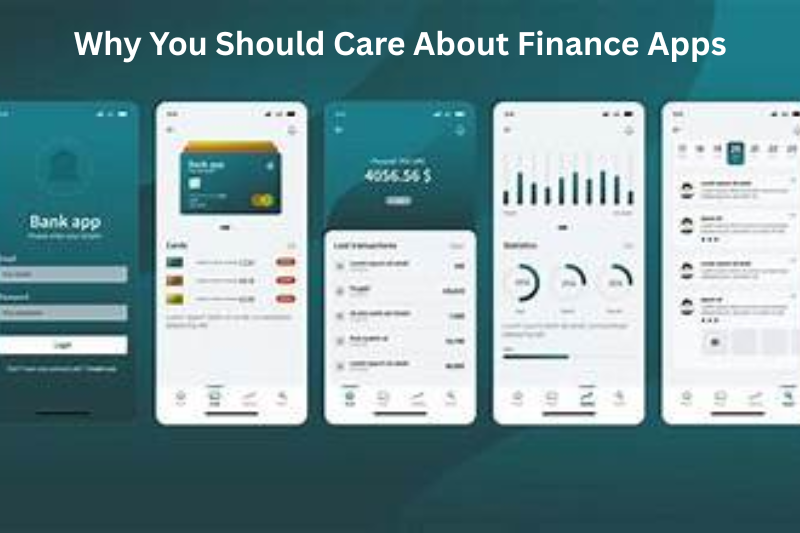
Think of finance apps as your personal money assistant. They help you:
- Track spending without spreadsheets
- Set budgets that actually make sense
- Save automatically (yes, even when you forget)
- Invest without needing a finance degree
In short: they give you clarity and control over your money.
1. Budgeting Made Easy with Mint
If you’re new to personal finance, Mint is often the first stop—and for good reason.
What makes it great:
- Automatically tracks your expenses
- Connects to bank accounts, cards, and bills
- Sends alerts for unusual spending
What to keep in mind:
- Ads can be a bit annoying
- Less customizable than some newer apps
Best for: Beginners who want a simple, all-in-one overview
2. Take Control of Every Dollar with YNAB (You Need A Budget)
YNAB isn’t just an app—it’s a mindset shift.
Why people love it:
- Helps you assign every dollar a job
- Encourages intentional spending
- Great for breaking paycheck-to-paycheck cycles
Downsides:
- Paid subscription
- Takes time to learn
Best for: People serious about budgeting and long-term habits
3. Save Without Thinking Using Acorns
Imagine investing your spare change without even noticing. That’s Acorns.
Key features:
- Rounds up purchases and invests the difference
- Beginner-friendly portfolios
- Automatic saving + investing
Limitations:
- Monthly fee
- Limited control for advanced investors
Best for: Beginners who want to start investing effortlessly
4. Invest Like a Pro with Robinhood
Robinhood changed the game by making stock trading accessible to everyone.
Why it stands out:
- Commission-free trading
- Clean, simple interface
- Easy access to stocks, ETFs, and crypto
Be careful:
- Can encourage impulsive trading
- Limited research tools
Best for: Casual investors who want a simple trading experience
5. Track Everything in One Place with Personal Capital
Now known as Empower Personal Dashboard, this app is great if you want a big-picture view.
Highlights:
- Tracks net worth
- Excellent investment analysis tools
- Retirement planning features
Downsides:
- Better for higher-income users
- Can push financial advisory services
Best for: People focused on long-term wealth building
You may also like to read these posts:
Online Business Tips for Beginners
How to Manage a Small Business Easily
Startup Tips for New Entrepreneurs
How to Choose the Right App (Without Overthinking It)

Here’s a simple way to decide:
- Want to track spending? → Mint
- Want to fix your budgeting habits? → YNAB
- Want to start investing easily? → Acorns
- Want to trade stocks? → Robinhood
- Want to see your entire financial life? → Personal Capital
You don’t need all of them. Start with one that fits your biggest need right now.
Final Thoughts: Which One Should You Pick?
If this best finance apps review had one takeaway, it’s this:
The “best” app isn’t the most popular—it’s the one you’ll actually use.
Start simple. Build consistency. Then upgrade your tools as your financial confidence grows.
FAQs – Best Finance Apps Review
1. What are finance apps?
Finance apps are mobile or web tools that help you manage your money—things like budgeting, saving, investing, and tracking expenses. Some apps focus on one area (like investing), while others give you a complete financial overview in one place.
2. Are finance apps safe to use?
Yes, but only if you use them carefully.
Most finance apps use encryption and security features like passwords, biometrics, and two-factor authentication. However, risks still exist if your phone is lost or your account is not properly secured.
Quick safety tips:Always enable two-factor authentication
Use strong, unique passwords
Avoid public Wi-Fi when accessing financial data
3. Do finance apps cost money?
It depends:
Some apps are completely free
Others offer free versions with paid upgrades
Premium apps usually cost around $8–$18/month for advanced features
4. Which finance app is best for beginners?
If you’re just starting:
Mint: simple and easy to use
Acorns: good for automatic investing
5. Can finance apps really help save money?
Yes, they can.
Finance apps help you:
Track spending in real time
Set budgets and goals
Avoid late fees with reminders
See your full financial picture in one place